
Learn Accumoo
Track what matters.
See your progress.
Accumoo helps you stay on track with your activities and goals. Learn the basics with a daily reading goal, or explore the how-to guides.
Start the first lessonStep-by-step screenshots
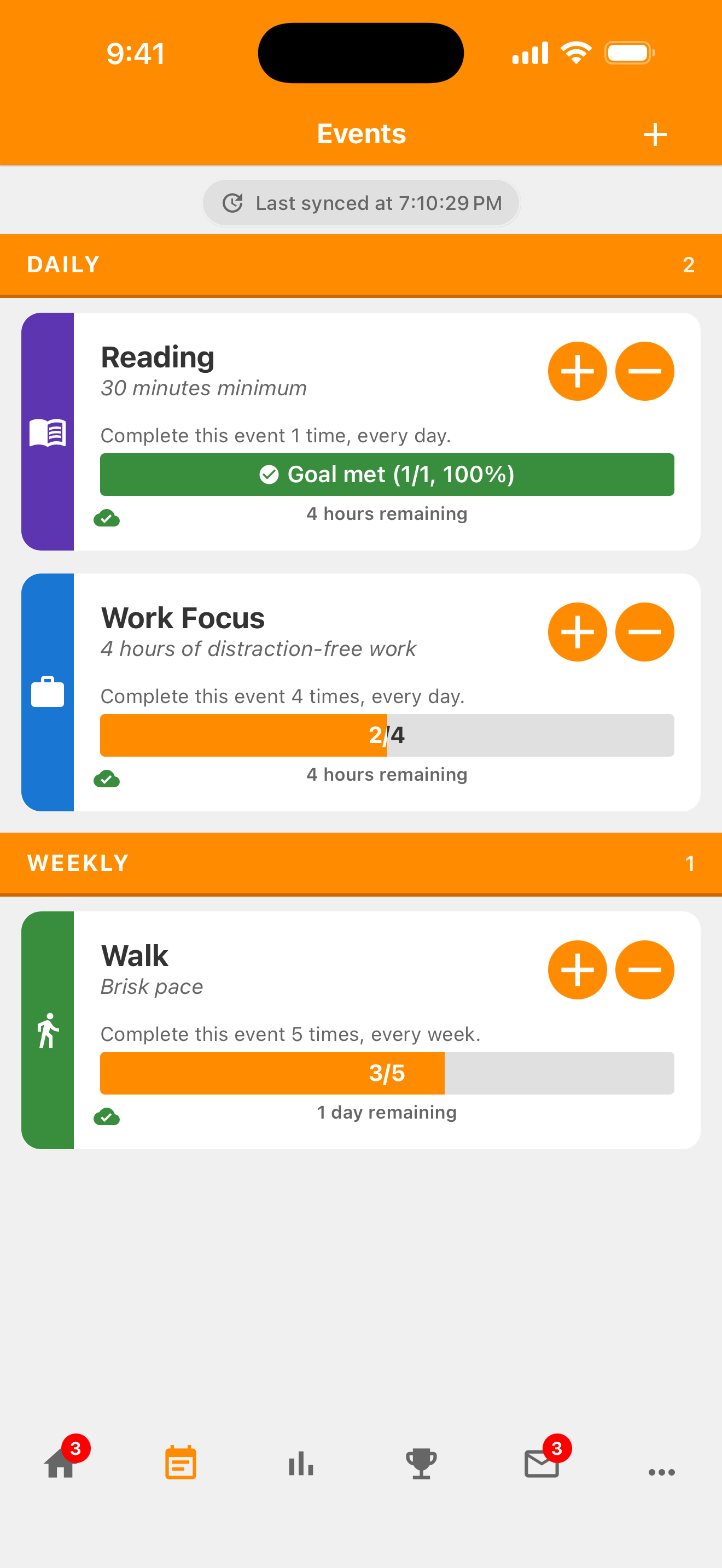
Find the help you need
Choose a topic.
The lessons help you get familiar with Accumoo. Start with reading, or choose the topic you need below.
 Start here
Your first lesson
Set a daily reading goal.
Choose the Reading template, record a session, and find your past activity.
Try the daily reading lesson- About 5 minutes, excluding activity time
- Step-by-step pictures
- No experience needed
 Plan your week
Your next lesson
Set a weekly walking goal.
Record five walks each week. Learn how a weekly total differs from walking on selected days.
Try the weekly walking lesson- About 5 minutes, excluding activity time
- Daily or weekly?
- Real app pictures
 Keep a running total
Your third lesson
See how many books you've finished.
Keep a running book total without a target or an automatic reset. Start from zero or include books you've already read.
Try the books finished lesson- About 5 minutes, excluding activity time
- Counter and Lifetime explained
- Setup and History pictures
 Build a skill
Your fourth lesson
Take on a guitar practice Challenge.
Try the Skill Practice Challenge. Choose a difficulty, work toward your daily practice target, and follow your progress across days.
Try the guitar practice lesson- About 8 minutes, excluding activity time
- Events, Challenges and four difficulties
- Minutes and successful days explained
 Keep it simple
How-to guide
Set up activities that fit your plans.
Choose clear names, decide what you'll record, and set targets and schedules that fit your plans.
Explore Best Practices- Clear names and descriptions
- Activity definitions, targets and schedules
 You're in control
How-to guide
Find activities and correct a total.
Find your activity cards, record missed activity, and preview a correction before saving.
Explore Events and corrections- Groups, cards and menu explained
- Add and subtract with real previews
 A little perspective
How-to guide
Review past activity.
Find recorded changes and use Ignore or Undo Ignore to choose which past periods count toward Statistics.
Explore History and ignored periods- History detail and past periods
- Ignore, Undo Ignore and Statistics pictures
 Make it yours
How-to guide
Change your Accumoo settings.
Choose a comfortable display, your week's start day, and goal reminders that fit your routine.
Explore Preferences- Appearance, spacing and your week
- Reminders, quiet hours and encouragements
 Know your options
How-to guide
Manage your account and plan.
Find your profile and plan, understand purchase restoration, and know the difference between signing out and deleting your account.
Explore your account- Profile details and plan choices
- Restore, sign out and deletion explained
Widgets and Apple Watch
 Progress at a glance
How-to guide
Keep an activity on your Home Screen.
Add a Stretching widget, choose the activity it shows, and learn where to tap after a session.
Explore widgets- Add and configure Event Focus
- Record sessions and check your progress
 Progress on your wrist
How-to guide
Record a walk on Apple Watch.
Record a walk, check your weekly progress, and correct an accidental tap from your Watch.
Explore Apple Watch- Sign in and find your activities
- Recorded activity, met goals and refresh
Ready to try it yourself? Get Accumoo.
Terms used in the app
Accumoo terms, explained.
Select an underlined term with a question mark for a quick explanation. All the definitions are also listed below.
- Event
- An activity you want to track, such as reading, walking, or staying hydrated.
- Template
- A ready-made starting point for an activity. Review its settings and make it your own before saving.
- Goal
- Your target for an activity, such as one reading session each day.
- Reset Period
- How often the current count starts over, such as daily or weekly. Earlier activity stays in History, subject to your account's history access.
- History
- Your record of count changes and past days, weeks, or other time intervals. Open an activity's menu to find it.
- Counter
- An activity that keeps a count without a target. It can reset on a schedule or keep a running total.
- Lifetime
- Choose Never under Reset Period to keep one running total without an automatic reset.
- Sync
- Exchange saved changes with your account when online so other signed-in devices can receive them. A change can be saved on one device before it has synced.